Categories
Mobile App Development

App: Microsoft Team’s Chat Evaluator

The macOS App I designed.

Note: This app was never published.

For one of my Master’s of Organizational Leadership courses, we were tasked with evaluating our groups performance as a team.

Evaluating the chat

During the course, we discussed using different methods and metrics to evaluate how well a team is working together. We were also tasked with creating our own set of team evaluation criteria to self evaluate our group. At the beginning of the class we established group communication expectations. One of those expectations was responding to each other’s queries within 48 hours. Because of this, I thought it would be an interesting experiment to create a program to analyze our groups compliance with our established 48 hour norm and have a Large Language Model (LLM) analyze our groups’ collaboration. Because most of our team interaction took place on a Microsoft Team’s chat, I decided to use the Team’s chat log as the content that would be used to evaluate our group.

Extracting the chat and metadata

The most difficult part of this task was actually getting the Team’s chat log into a ChatMessage object format that I could analyze. Microsoft Teams typically only allows an organization admin to export chat logs. To get around this, I developed a macOS app that could take in screenshots of our chat and use Optical Character Recognition (OCR) to extract the text content with high accuracy. Once the text was extracted, I looked for patterns in the extracted text to identify what parts were the message’s content, the date and time of the message, the message’s author, whether an individual was mentioned and whether or not the author was replying to another user. The function I wrote to analyze the extracted String for this information was extremely complex but in the end I was able to extract the metadata from each chat message and put it into a better form for further analysis.

Analyzing the Chat

Now that I had the chat in a format I could work with. I wrote code to determine how many messages were sent by each group member, the average response time between a chat member being mentioned and their next message (a response), and how many times they failed to respond within our group’s established communication expectation of 48 hours. This seemed to work quite well and after manually review, the accuracy of the app determining whether someone failed to respond in 48 hours was quite high.

When it came to analyzing the chat with an LLM. I utilized LLAMA 3, an open-source LLM created by Meta running on a MacBook Pro through Ollama. At first, I realized that the LLM had trouble with keeping up with the contest and learned that their was a ceiling for the amount of tokens (sort of like words) the LLM could accept at once and not lose track of context. To get around this, I ended up feeding the LLM each person’s chat history one at a time and was able to get summaries for each of their contributions. However, I was unable to get summaries of their interactions with others within the chat context as providing everything at once was not possible with this LLM.

Conclusion

This experiment was very unique and is definitely worth revisiting in the future especially as Large Language Models continue to improve.
Categories
Mobile App Development

CU Athlete App

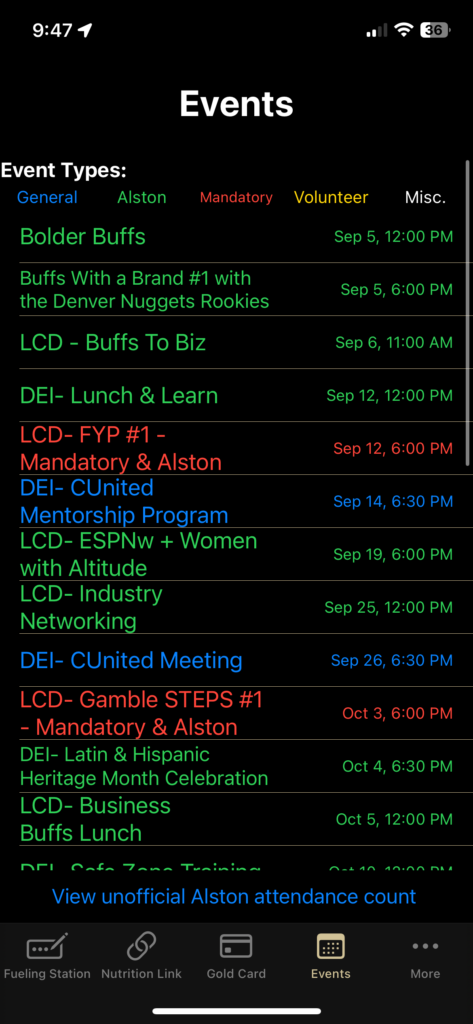
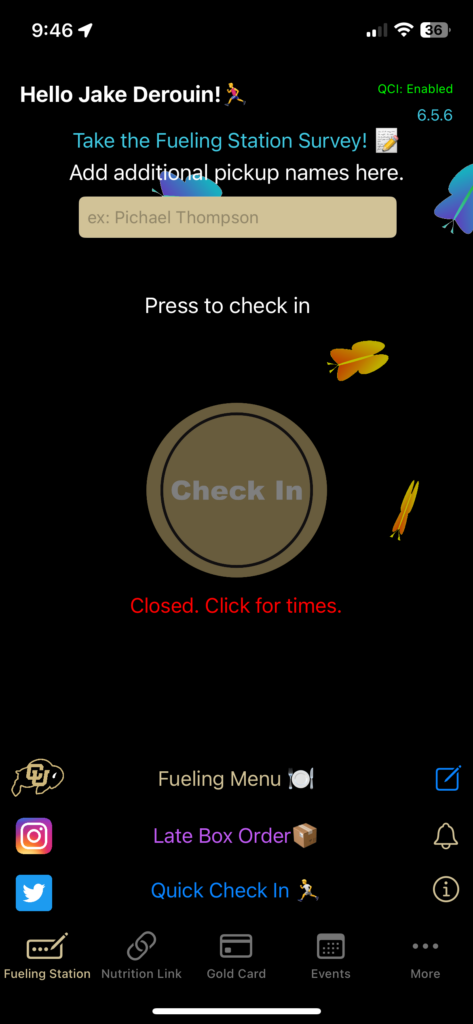
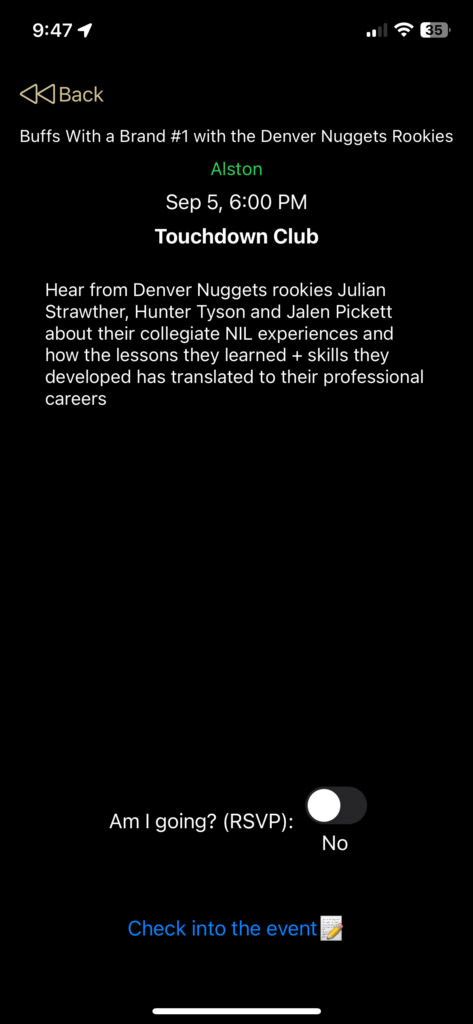
The CU Athlete app allows for Colorado NCAA Athletes to easily log their fueling station attendance, check their Gold Card balances, RSVP and check in to department events and more! The app is used by every single Colorado student-athlete on every team daily.

Learn about how the app was created to version 3.0 (The current version is version 6) (Previously known as the “CU Buffs Fueling Station App”) (using Archive.org because when learning how to self-host I accidentally deleted my previous WordPress site).

Core Features: Athlete

The app allowed athletes to do the following:

-Check in for meals with one button press.
-RSVP for athletic department events with a single button press.
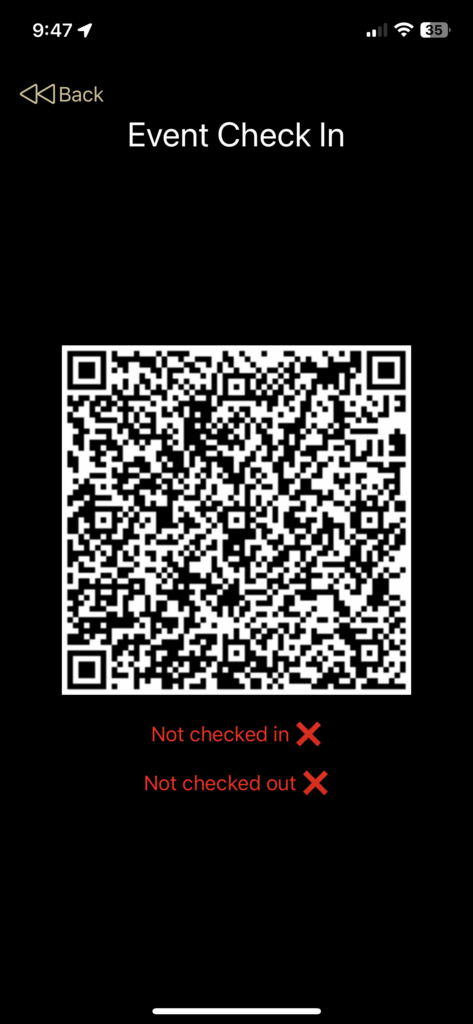
-Check into athletic department events using a rotating QR code resistant to spoofing (or sharing with friends).
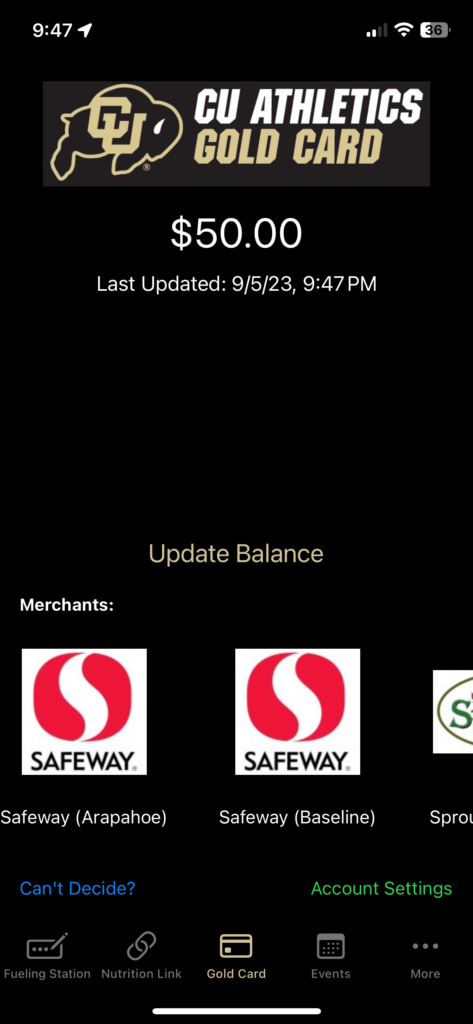
-See their Gold Card (Flatiron Meal Plan) balance.
-Play a Ralphie run mini minigame.
-See the Fueling Station meal times.
-Receive announcements.
-Set a personal CU branded countdown widget for their events.
-Reliable even in situations with unstable or no internet.

Core Features: Staff

The CU Athlete Admin iPad app allowed staff to do the following:

-Create accounts for athletes (including via importing spreadsheets).
-See Fueling Station checkins in real-time and export data to spreadsheets.
-Allows staff to scan athlete’s QR codes for checking into events.
-Schedule athletic department events and see RSVP’s and checkins (and export those to spreadsheets).
-Set the meal times for the fueling station.

Categories
Mobile App Development

Christmas Trivia TV App

The Christmas Trivia TV app was created by me in 2019 and has been updated on an annual basis. The app is an automatic trivia game that cycles through trivia questions relating to Christmas with beautiful backgrounds to go along with. The app is designed for iPad, iPhone, Apple TV, and Mac. The app is best experienced on a large TV and is perfect to throw on for Christmas parties or family gatherings.

The app utilizes a Node.js REST server I self host that has the trivia questions stored in it (students in ATLAS Web are able to query this database server for their Javascript unit).

The app also has an in-app purchase called fireplace mode that puts a virtual fireplace (a looped recording of my own fireplace) on in the background.

Click here to download the app

Categories
Other Projects

Tor Browser Animated Explainer Video

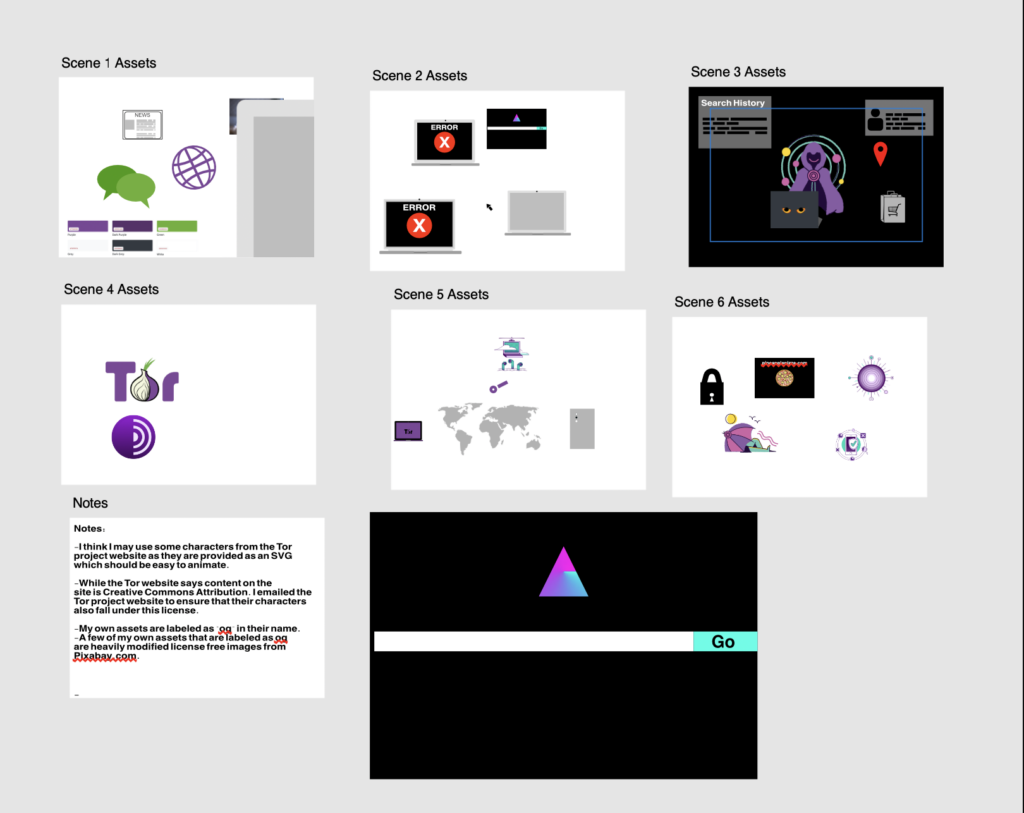
I created an educational animated video that talks about the Tor Browser. The Tor Browser is the ultimate privacy tool for browsing the internet anonymously. It also is designed to get around internet censorship of all kinds to allow anyone to exercise their freedom to access information.

I animated the video using Adobe After Effects, and edited in audio and some other enhancements using Final Cut Pro. I also created over half of the assets using Affinity Photo and Affinity Designer (Photoshop and Illustrator alternatives). 

To learn more about the Tor Browser please visit The Tor Project’s website at https://www.torproject.org

Categories
Mobile App Development

App: ML Image Sorter

Made mostly obsolete by the release of Apple Intelligence but was helpful beforehand

ML Image Sorter was an app I designed in 2024 at the request of one of my former High School art teachers. He needed a way to sort through thousands of images in Apple Photos and place them into specific albums using very unique criteria such as the style of the image.

To assist him with his request, I thought that allowing him to train his own Machine Learning models on the specific sorting criteria he desired could help him.

Writing the app

Because he works in Apple Photos and already has a very detailed photo organization strategy, I decided to make a macOS app that could take a custom Image Classification model made in CreateML, find images that match the ML model’s criteria, and copy those photos into new Photos app albums named after the model’s classification. I also made the app compatible with sorting photos into folders if he were to decide to use it outside of the Apple Photos app.

Results

The app itself worked flawlessly. However, it was limited to the performance of the Image Classification Model that the user would manually create in Apple’s CreateML application (included with Xcode). I included instructions for my former teacher on how to create an accurate model by providing good model specimen. However, since he could only include so many examples, some classifications were difficult (especially models that attempted to classify images by very obscure differences). Since my primary audience was only one person, I could have done a better job of making it more visually appealing. That said, I got the app in a good enough state to be published on the Mac App Store.

Since publishing this, the Apple Photos app received some pretty hefty upgrades in the form of natural language searching support which allows for a user to search for more specific inquires. This largely makes my software obsolete. However, at the present moment it is still available on the Mac App Store.

App Store Link: https://apps.apple.com/us/app/ml-image-sorter/id6503262847?mt=12

Categories
Other Projects

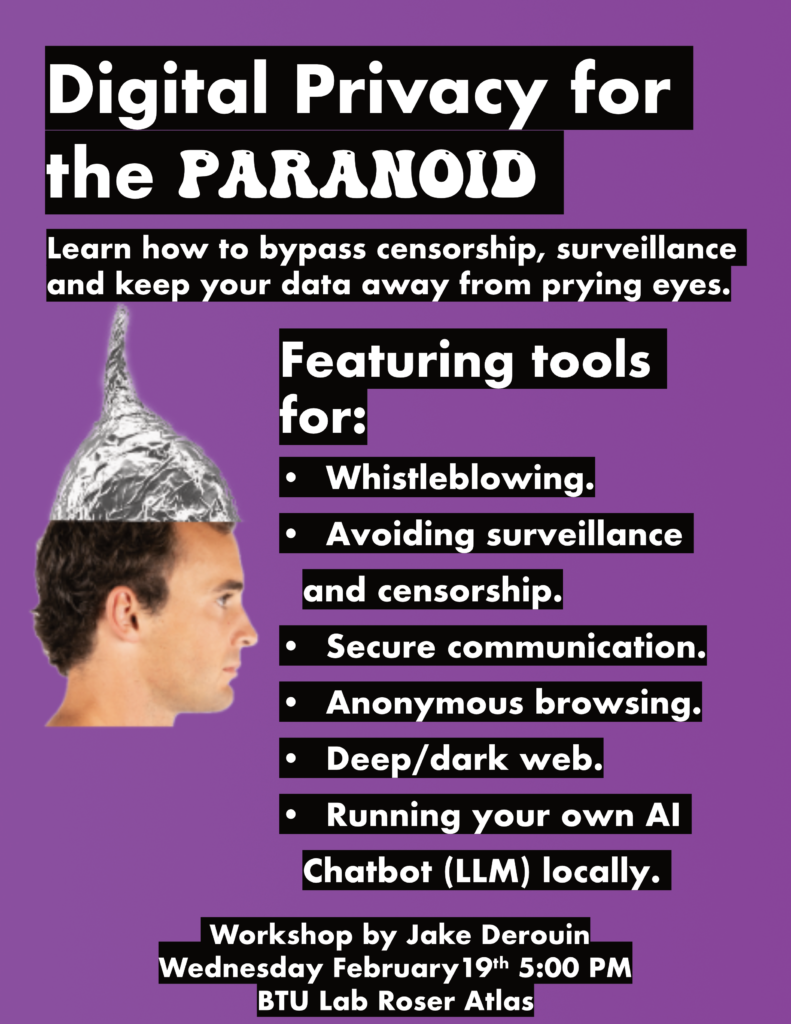
Privacy for the Paranoid: An Educational Workshop

In 2024, after reading Edward Snowden’s book Permanent Record and utilizing Tor extensively for Project GreenWisp (due to Tor’s ability to allow me to configure local devices behind Firewalls) I found myself doing tons of research on censorship, surveillance, and the privacy tools used to circumvent both. I learned so much that I felt passionate enough to create a workshop around it and present it to students in the Blow Things Up Lab (BTU) at CU Boulder.

Presentation Link:

Categories
Other Projects

Mini Project: The CUSPYS Voting System

A simple way to get accurate votes for CU Athletic’s award show

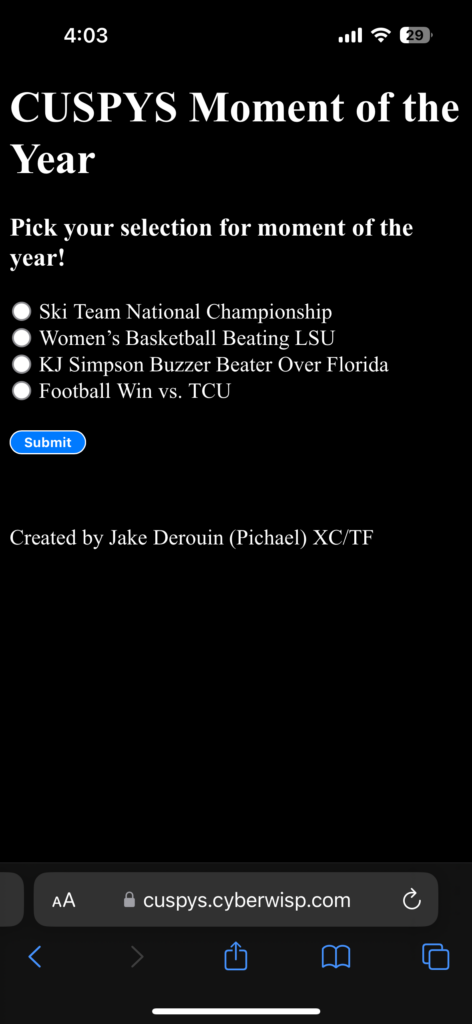
In 2024, as a president of the Student Athletic Advisory Committee (SAAC) I was in charge with organizing many aspects of the CU Sports Person of the Year Awards (CUSPYS). One of those aspects was voting for moment of the year. Moment of the year is unique in that unlike the other awards, the winner is decided by popular vote at the CUSPYS event itself rather than ahead of time. I decided I would take up creating the voting system for Moment of the year using HTML/CSS and JavaScript with a Node.js backend.

Previous Voter Fraud

Previously, there were issues where athletes would vote multiple times for the winner. At other times, the voting system was set up in a way that made it difficult for athletes to vote due to a login.

My solution: Security through feigning obliviousness

While designing the system I needed a way to ensure that athletes could not vote twice while at the same time keeping it easy to vote. I did not want to make a login as it would have taken up too much time for athletes to login and they may not know credentials. Instead, I tracked voting records through using browser cookies on the user’s device. When a user would vote a cookie would be saved on their device that they had already voted. This would make it so that the server would know if a user submitting the form had already voted.

However, the cookie technique has a problem. A user can simply open up a private browser tab or clear their cookies to vote again. So I came up with an idea: What if I gave no indication that I was keeping track of who voted? To do this, I intentionally made it so that the submission success page gave no indication as to whether or not a person was voting their first time or their 15th time. From an individual wishing to vote multiple time’s perspective, it would look like voting multiple times would be as simple as resubmitting the form over and over again despite only their first vote being recorded on the server. In a sense, I was feigning not being aware of a potential security design flaw to encourage attackers to attack in a way that I did indeed secure as opposed to using other methods.

Wrap up

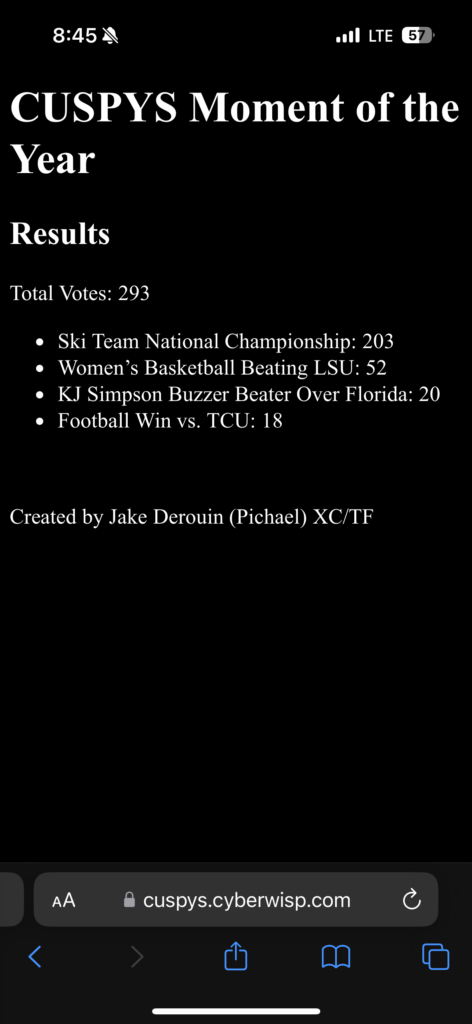
In the end, the method I picked to secure the voting system worked seemingly flawlessly. We were able to see the winner of the Moment of the Year being the Ski Team winning the National Championships!

Categories
Uncategorized

TuneScore: Music Flashcards

A music app I made with a friend in less than 6 hours.

TuneScore is an educational app that allows a user to play displayed notes using an instrument and see if they were correct with what they played. The app utilizes the Tuna library to be able to determine what note is being played based on microphone input.

Working with a friend

This project was a class project for my friend Joelle McDonald. She enlisted my help due to my previous experience with iOS development. She laid out the requirements for the app as well as the designs for the iconography and other assets while I wrote the logic in Swift while using SwiftUI for the layout engine.

TuneScore supports a variety of different instruments and allows users to adjust whether they want to see questions with flat or sharp notes. They can also customize whether to see questions with the treble or bass clef and the max number of ledger lines a question can display.

Potential Future Features

If I were to add features going forward to this app I would consider adding the following:

  • The ability for the device to play the correct note.
  • A higher or lower feedback system to help the user.
  • How to play a particular note on a specific instrument.

You can download the app for iOS, iPadOS and macOS here: https://apps.apple.com/us/app/tunescore-music-flashcards/id6738848208